The problempermalink
I’ve been working on a RealityKit project recently and I stumbled upon a little problem: I wanted to add grounding shadows to my custom 3D models, which was straightforward for built-in primitives such as boxes or spheres, but not so much for custom models. In this article, I’ll show you how to add grounding shadows to your custom 3D models in RealityKit.
When you add a custom 3D model to your RealityKit scene, it will not cast shadows on the ground or other objects by default. Shadows contribute a lot to the sense of presence (the degree to which the user feels like virtual objects are part of the real world) and realism of an AR experience, so it’s important to get them right.
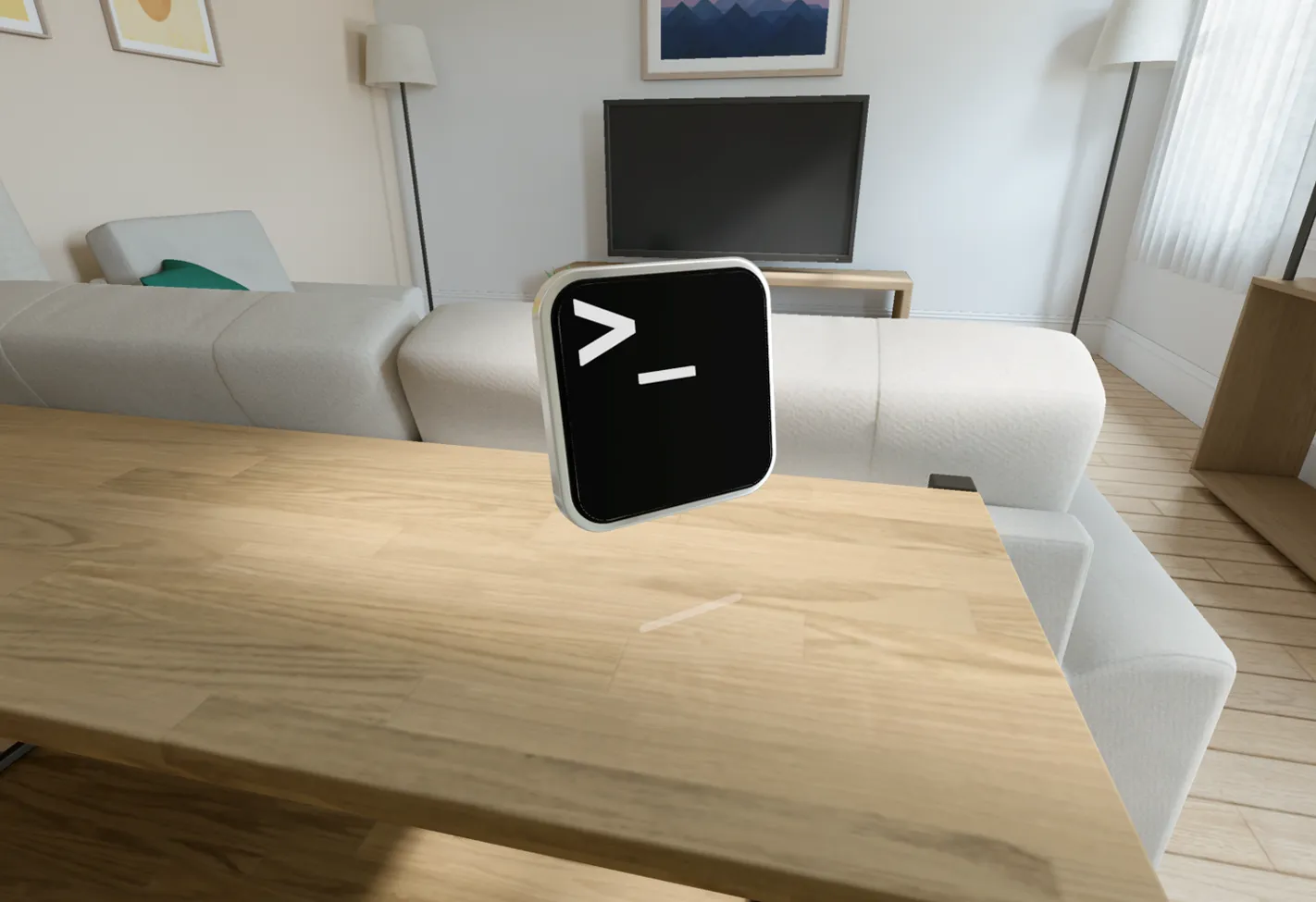
My trusty ol' terminal model, but it doesn't cast any shadows! 🙁
The solutionpermalink
Apple uses a technique called “grounding shadows” to cast shadows from 3D models onto the physical environment or other objects in the scene.
While the actual solution is pretty simple, it’s rather hidden in Apple’s documentation.
In order for a 3D model to cast shadows, it’s Entity must have a GroundingShadowComponent. Built-in primitives like boxes or spheres have this component by default, because they are ModelEntities, but this is not necessarily the case for custom models.
The result looks like this:
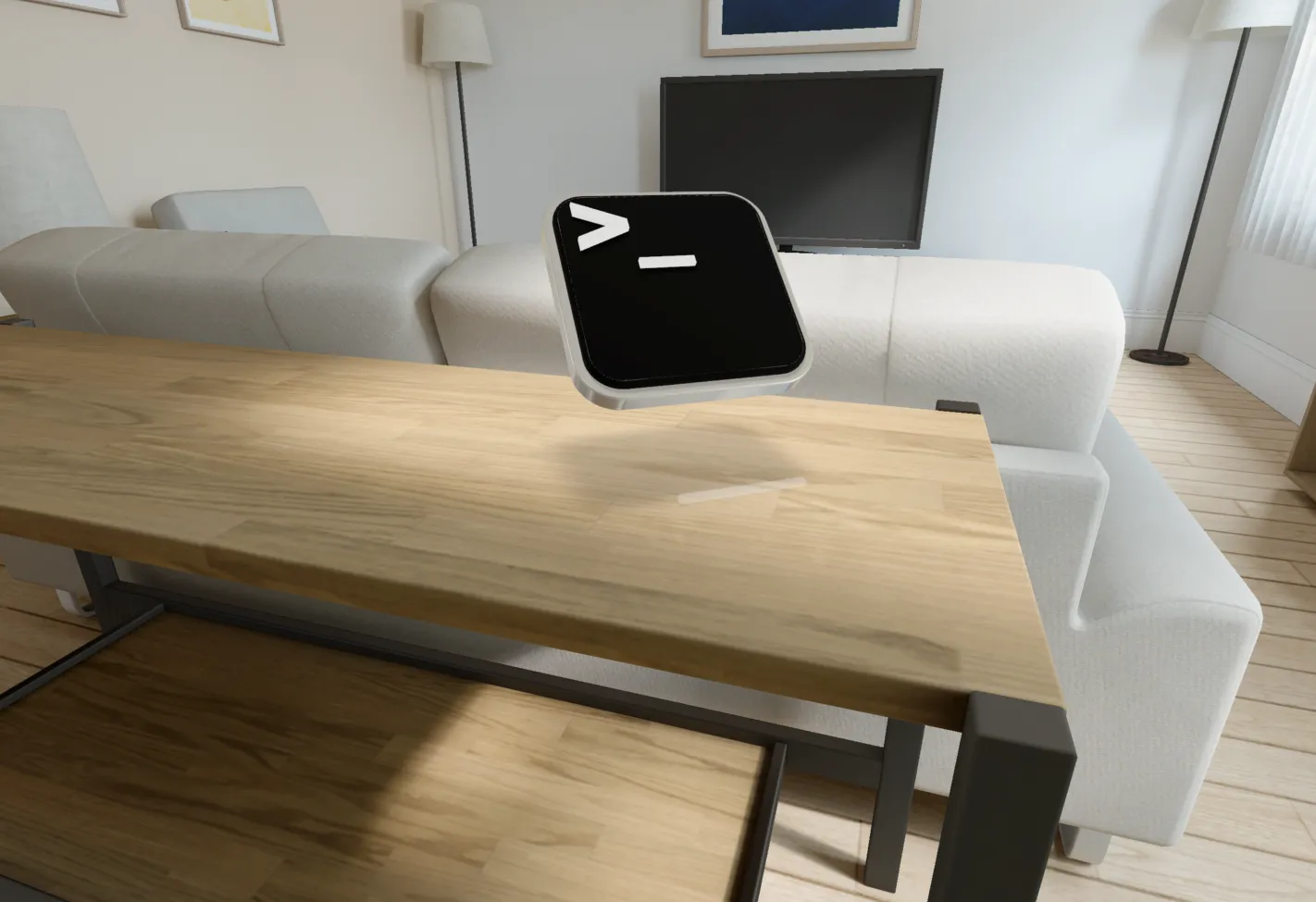
Now that's what i'm talking about! 🌚
Now let’s dive in and see how i achieved this.
There are two ways to add a GroundingShadowComponent to your custom model:
Option 1: Add the component manually in Reality Composer Propermalink
If you’re using Reality Composer Pro to create your custom models, you can add a GroundingShadowComponent to your model by selecting the model in the scene hierarchy and clicking on the Add Component button in the inspector.
It’s not sufficient to add the component to the root enity, you have to add it to each ModelEntity that you want to cast shadows.
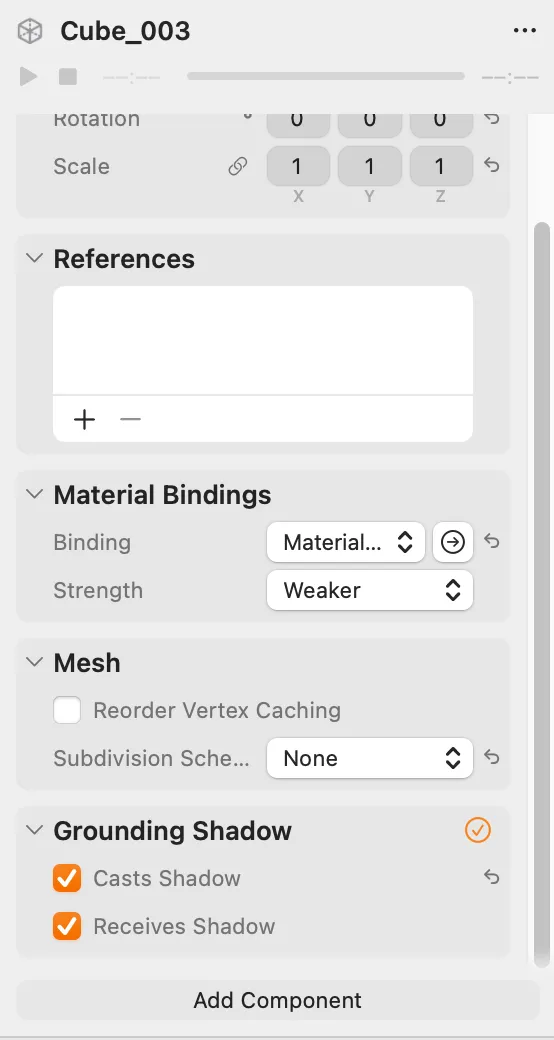
Add the GroundingShadowComponent to the ModelEntity in Reality Composer Pro, make sure the Casts Shadow option is ticked!
Option 2: Add the component programmaticallypermalink
A more flexible way to add a GroundingShadowComponent to your custom model is to do it programmatically.
I found a very handy extension on the RealityKit Entity class that allows you to enumerate all child entities of an entity and run a closure on each of them. This way you can add the GroundingShadowComponent to all entities that have a mesh.
The original code is from this answer on the Apple Developer Forums. Shout out to user drewolbrich for providing this!
import RealityKit
extension Entity {/// Executes a closure for each of the entity's child and descendant/// entities, as well as for the entity itself.////// Set stop to true in the closure to abort further processing of the child entity subtree.func enumerateHierarchy(_ body: (Entity, UnsafeMutablePointer<Bool>) -> Void) {	var stop = false	func enumerate(_ body: (Entity, UnsafeMutablePointer<Bool>) -> Void) {    guard !stop else { return }
    body(self, &stop)
     for child in children {	  guard !stop else { break }	    child.enumerateHierarchy(body)            }        }   enumerate(body)    }}
Here’s my understanding of the code:
The function enumerateHierarchy takes a closure as an argument. This closure takes two parameters: an Entity and a pointer to a Boolean.
You might be wondering why we need a pointer here, as this is an API that’s isn’t very common in every day Swift development (and often discouraged). The reason is that you might want to stop the enumeration at some point, for example if you’ve found the entity you were looking for. The pointer allows you to set the value of the Boolean to true in the closure, which will stop the enumeration. THe enumeration is executed recursively on all children and this will also stop the enumeration, because every recursion step has a reference to the same Boolean.
The function enumerate is a helper function that does all the work. It takes the same closure as an argument and calls it on the entity itself and all of its children.
It checks if the enumeration should be stopped, calls the closure on the entity itself and then recursively calls itself on all child entities.
func enumerate(_ body: (Entity, UnsafeMutablePointer<Bool>) -> Void) {    guard !stop else {        return    }
    body(self, &stop)
    for child in children {        guard !stop else {            break        }        child.enumerateHierarchy(body)    }}
How to use the extensionpermalink
Now you can use this extension to add a GroundingShadowComponent to all ModelEntities in your 3D models hierarchy:
entity.enumerateHierarchy { entity, stop in if let modelEntity = entity as? ModelEntity { modelEntity.components[GroundingShadowComponent] = GroundingShadowComponent(castsShadow: true) }}If you wanted to do this for every model in the scene, you could also use an EntityQuery. However, the approach I’ve presented here can be very handy if you don’t want to add the component to every model in the scene.
I hope this little trick helps you to enhance the experience of your visionOS app!